

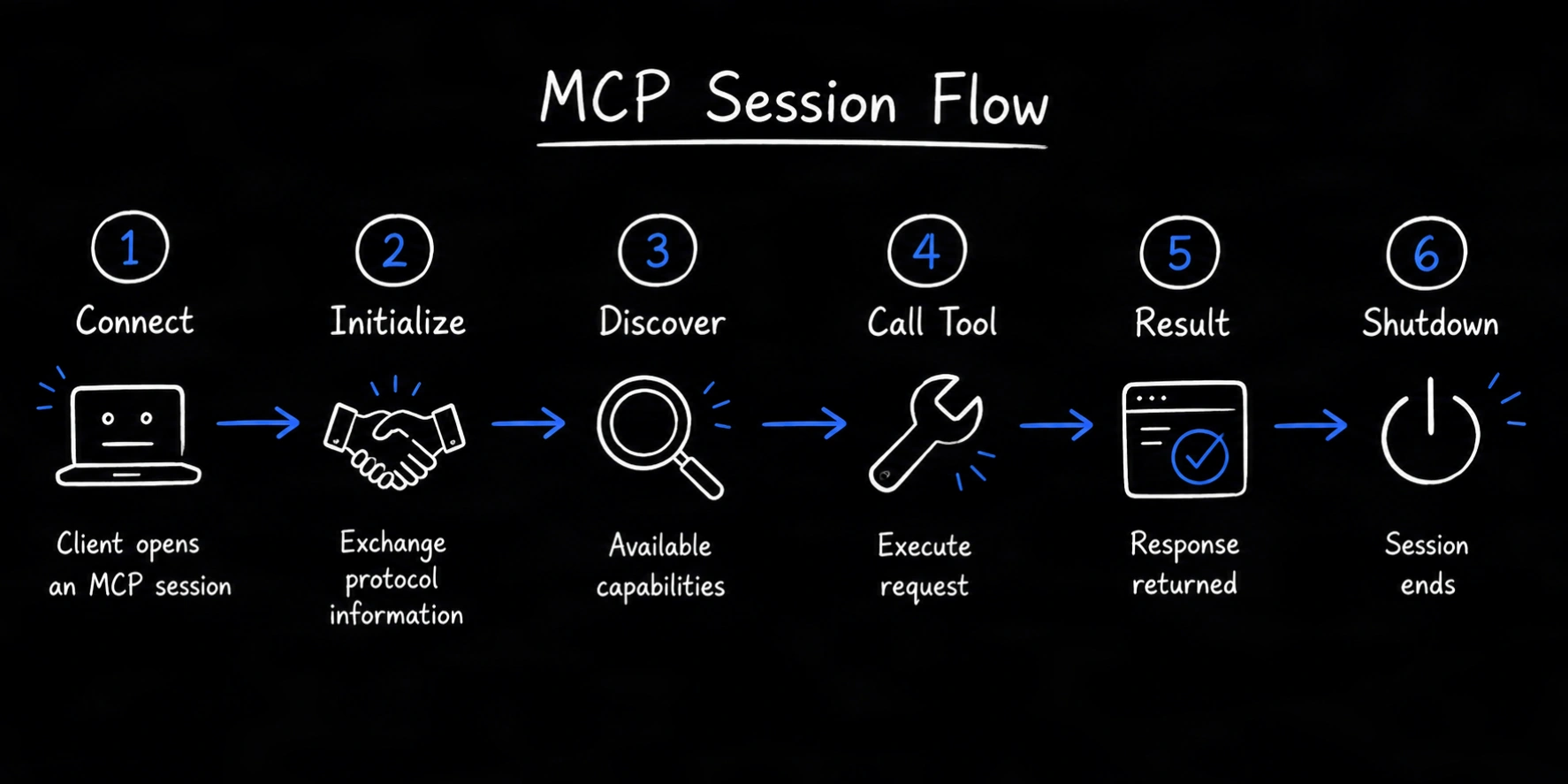
The MCP request flow
A typical MCP session follows this sequence:- The host creates an MCP client.
- The client connects to an MCP server.
- The client and server initialize the session.
- Both sides declare the protocol features they support.
- The client discovers available server capabilities.
- The AI application selects a capability when needed.
- The client sends a request to the server.
- The server performs the operation and returns a result.
- Either side may send supported notifications during the session.
- The connection closes when the session ends.
Step 1: The host creates a client
The host is the AI application that manages the model, user interaction, permissions, and connections. When the host needs to connect to a server, it creates an MCP client instance. Each client maintains a connection to one server.Step 2: The client connects to the server
The client uses a supported transport to reach the server. Common choices are:stdiofor a local server process- Streamable HTTP for a remote server
Step 3: The session initializes
Initialization is the first protocol exchange. The client sends aninitialize request containing information such as its supported protocol version and client capabilities. The server responds with its selected protocol version, server capabilities, and implementation information.
After the response, the client sends an initialized notification. Normal operations can then begin.
Initialization prevents the client and server from assuming that the other side supports a feature that was never declared.
Step 4: The client discovers capabilities
After initialization, the client can request lists of the features the server exposes. A server may provide:- Tools for model-invoked actions
- Resources for readable context
- Prompts for user-selectable templates
Step 5: The AI application chooses an operation
The host provides relevant capability definitions to the model or uses application logic to choose one. Suppose a user asks:What is the status of order 1042?The model may select a tool named
get_order because its description and schema match the request. The host remains responsible for its approval and permission experience.
Step 6: The client sends a JSON-RPC request
MCP uses JSON-RPC 2.0 message structures. A simplified tool request looks like this:Step 7: The server executes the capability
The server validates the request and runs the underlying operation. The implementation might:- Call an API
- Query a database
- Read an approved file
- Run a calculation
- Trigger a business workflow
Step 8: The server returns a structured result
The server sends either a result or a JSON-RPC error.Step 9: The session may exchange notifications
Notifications are messages that do not expect a response. Depending on negotiated capabilities, they can communicate events such as progress, logging information, resource changes, or updated tool lists. Clients and servers should only use features declared during initialization.Step 10: The session closes
When the interaction ends, the client and server release the connection and related resources. Local server processes may terminate when the host closes them. Remote connections may end while the remote service remains available for other authorized clients.How errors move through MCP
Errors can occur at several layers:- The transport cannot connect
- The JSON-RPC message is invalid
- The requested method is unavailable
- The input does not match the schema
- Authentication or authorization fails
- The underlying API returns an error
- The operation times out