

- RAG answers: “Which information should the model receive?”
- MCP answers: “How can the AI application connect to this external capability?”
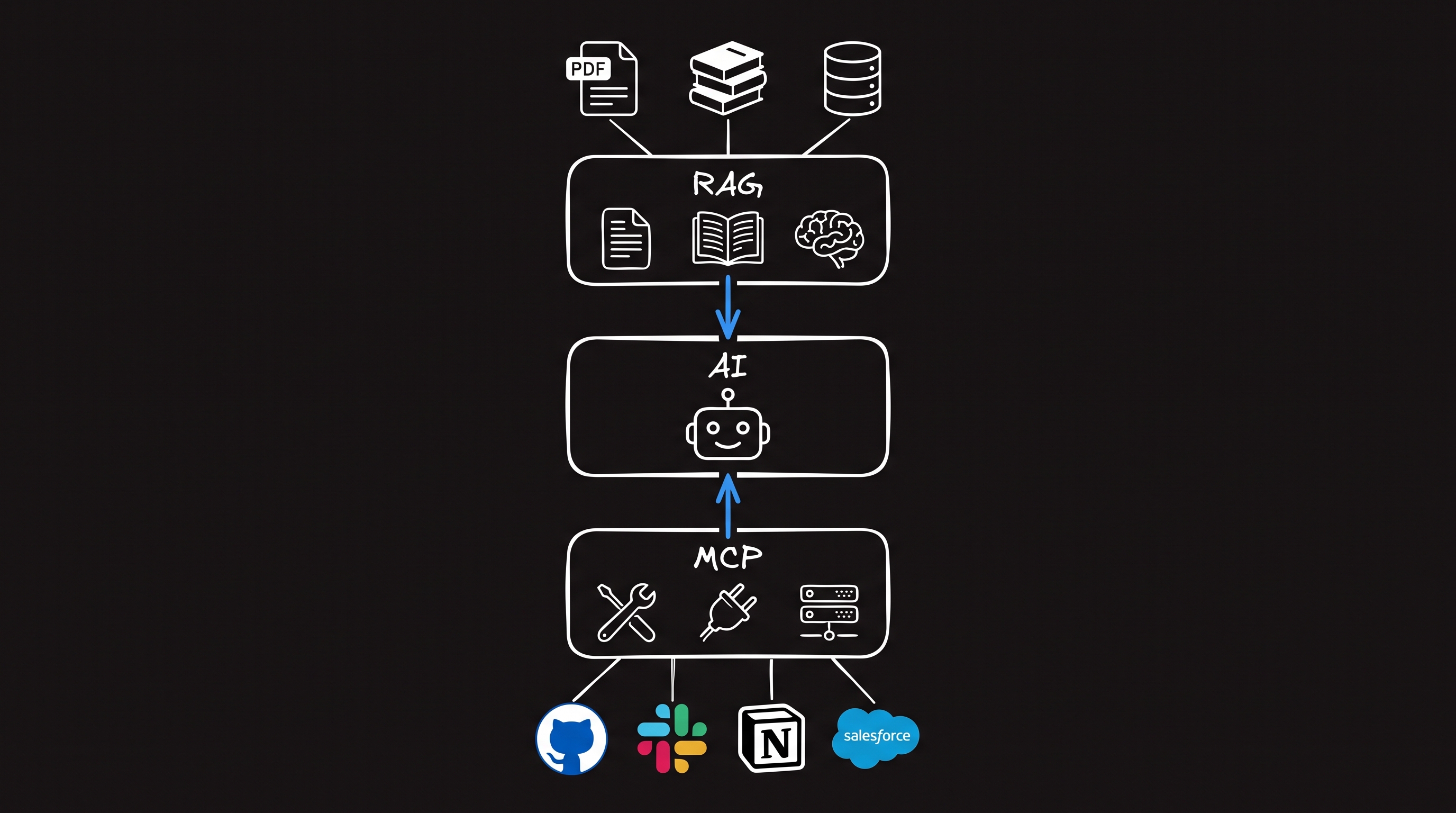
RAG vs MCP at a glance
What RAG does
A RAG pipeline usually:- Receives a user question.
- Converts the question into a search query or embedding.
- Retrieves relevant passages.
- Adds those passages to the model context.
- Generates an answer grounded in the retrieved information.
- Documentation search
- Knowledge assistants
- Policy questions
- Support content
- Research over private documents
- Information that changes after model training
What MCP does
MCP standardizes communication between an AI host and external servers. An MCP server can expose: MCP is useful for:- Calling live APIs
- Reading structured data
- Triggering workflows
- Updating external systems
- Connecting reusable capabilities to compatible clients
The most important difference
RAG is a retrieval design. MCP is an integration interface. A system can implement RAG without MCP:When to use RAG alone
Use RAG without MCP when:- One application owns the entire retrieval pipeline
- The main task is answering questions from documents
- You do not need to share the retriever across MCP clients
- The application does not need external actions
When to use MCP alone
Use MCP without RAG when:- The AI application needs structured API data
- The main task is taking actions
- The source system already supports precise queries
- Document similarity search adds no value
When to combine RAG and MCP
Use both when the AI application needs retrieved knowledge and external actions.Pattern 1: Expose retrieval through MCP
Create an MCP tool such assearch_knowledge_base.
The tool accepts a query and returns relevant passages with source metadata. Any compatible client can use the same retrieval service.
Pattern 2: Retrieve, then act
The application retrieves policies or instructions before calling an action tool.Pattern 3: Act, then retrieve context
The application may first fetch a structured record, then retrieve related documents. Example:- Use an MCP tool to retrieve a support case.
- Use RAG to find relevant troubleshooting articles.
- Draft a response grounded in both sources.
Pattern 4: Use MCP resources for curated context
An MCP server can expose reference content as resources. This may be sufficient for small, known documents. For large corpora requiring semantic search and ranking, a dedicated RAG pipeline is usually more appropriate.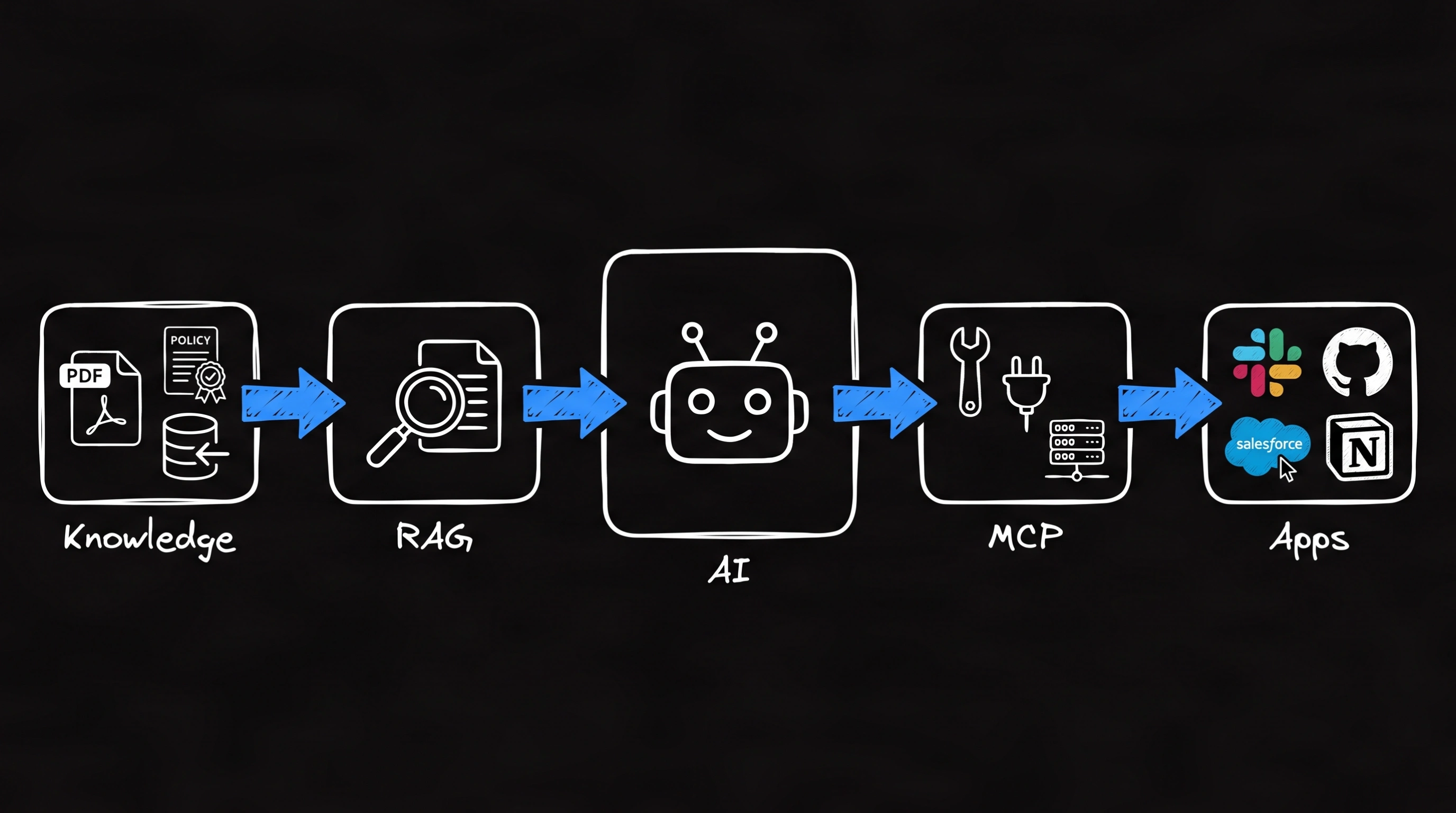
Security and permissions
Both systems need access control. For RAG:- Filter retrieval by user permissions
- Prevent cross-tenant search results
- Preserve source metadata
- Remove sensitive content from logs
- Authenticate clients and users
- Scope tools and data
- Require approval for sensitive actions
- Validate every operation in the source system
Avoid common design mistakes
Treating MCP as a vector database
MCP can connect to a vector database, but it is not one.Treating RAG as an action framework
Retrieval supplies information. It does not define safe execution of external actions.Exposing raw retrieval without sources
Return document identifiers, URLs, timestamps, or other provenance when possible.Letting retrieved text authorize actions
Authorization must come from trusted application policy and source-system permissions, not retrieved instructions.Decision guide
- Need answers from a document collection? Use RAG.
- Need a reusable connection to external capabilities? Use MCP.
- Need live actions based on retrieved knowledge? Use both.
- Need simple curated context? Consider MCP resources before building a full RAG pipeline.